Choose which notifications you get
Osvio tells you what your clients are doing by email, in the app and, if you allow it, in your browser. You choose which email notifications you receive.
Email notifications
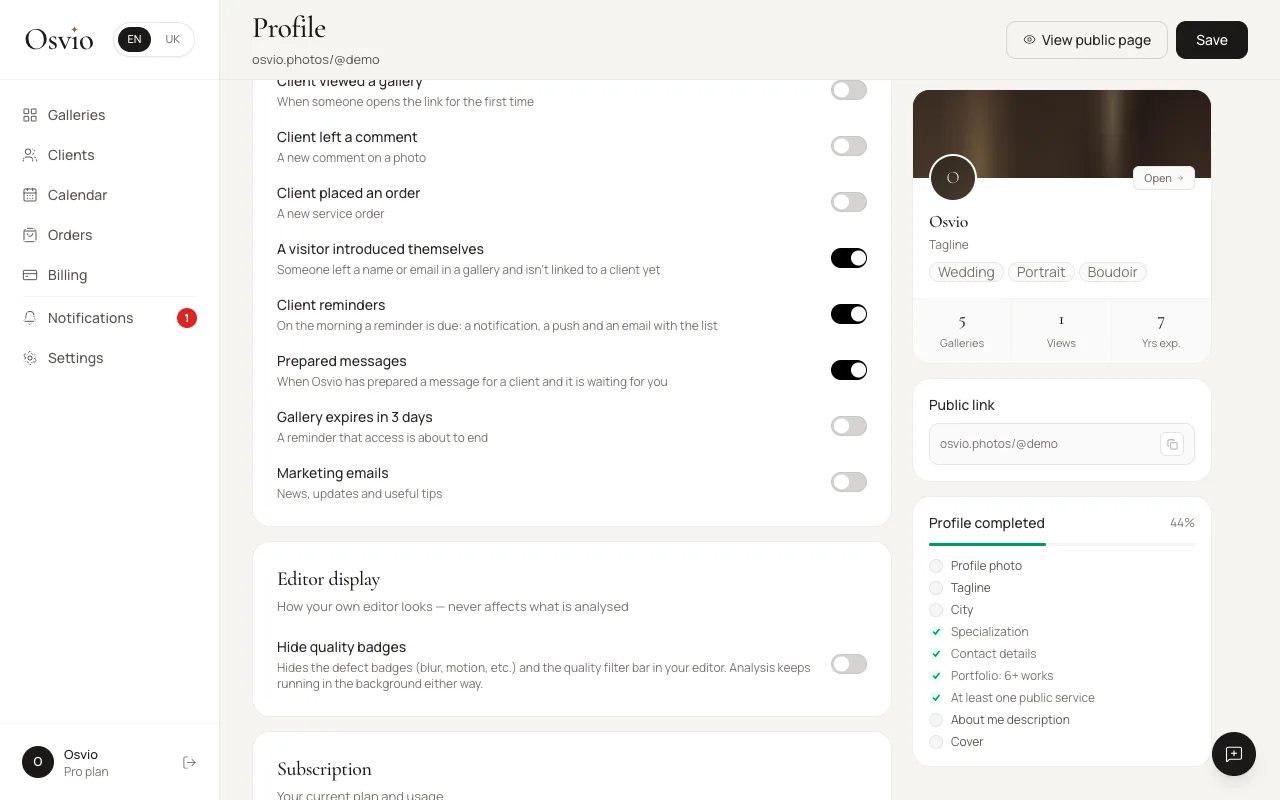
Open your profile, select the Account tab and find Notifications: "When to send email notifications". Each of these can be switched on or off:
| Notification | When it's sent |
|---|---|
| Client viewed a gallery | When someone opens the link for the first time |
| Client left a comment | A new comment on a photo |
| Client placed an order | A new service order |
| A visitor introduced themselves | Someone left a name or email in a gallery and isn't linked to a client yet |
| Client reminders | On the morning a reminder is due: a notification, a push and an email with the list |
| Prepared messages | When Osvio has prepared a message for a client and it's waiting for you |
| Client messages | When a client writes to you in the Inbox (only if you have the Inbox) |
| Gallery expires in 3 days | A reminder that access is about to end |
| Marketing emails | News, updates and useful tips. Off by default. |
Notifications you can't switch off
Notifications about likes and downloads, and the email you get when a client sends their selection, are always on for now: there is no switch for them yet.
In the app
The bell collects your notifications in tabs: All, Activity and System. Select Mark all to clear them.
Browser notifications
Osvio can tell you in real time when clients view and select photos. When you see "Get real-time notifications", select Enable and allow notifications in your browser.